
Ask an AI browser agent to change a headline in a visual editor. The edit itself is simple. Getting there can be the expensive part.
The agent may need to inspect the page, find the right element on the canvas, figure out which panel controls its content, make the change, and inspect the result again. Every detour adds work that has little to do with the headline you wanted to update.
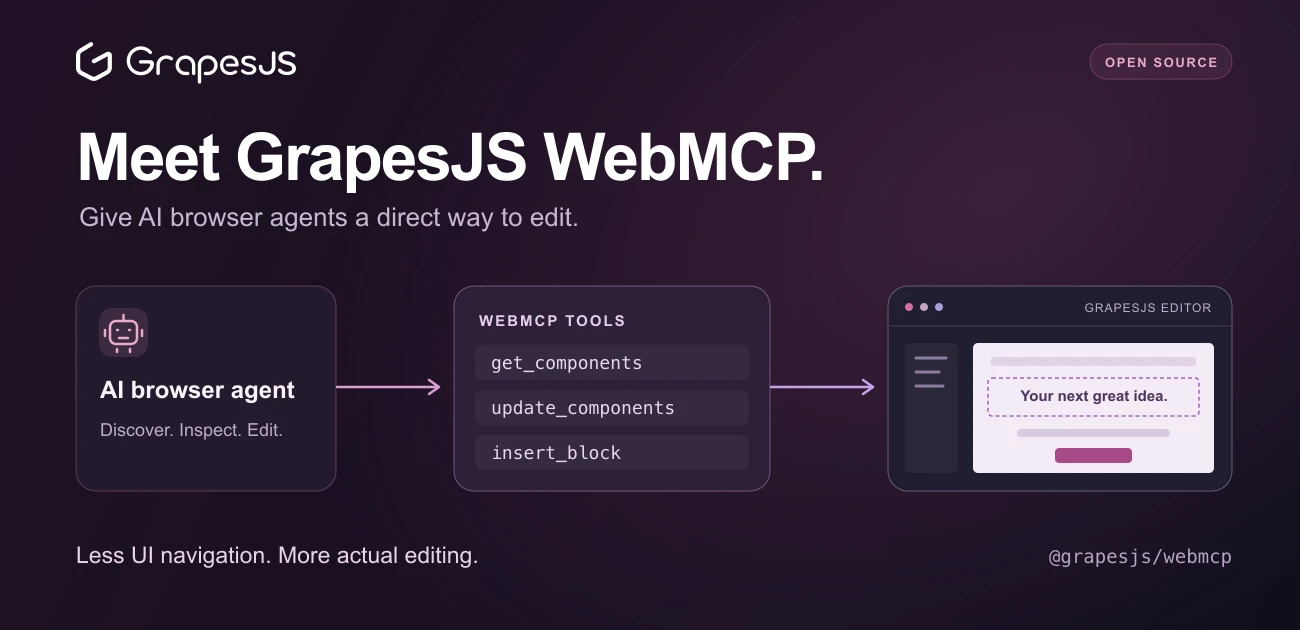
We're introducing GrapesJS WebMCP, a new open source plugin that exposes GrapesJS editor capabilities as structured tools for AI browser agents that support WebMCP.
Agents can discover what the editor lets them do, inspect the live project, and make changes through the GrapesJS API. Less time figuring out the interface. More time working on the page.
Give the agent an API it can discover
WebMCP lets a web application expose JavaScript tools with descriptions and input schemas that compatible agents can discover and call. Those tools run in the page, using the application's existing logic.
For GrapesJS, this means an agent can work with the editor's components, styles, blocks, and pages directly. A tool describes the operation, its schema explains the inputs, and the result gives the agent structured data it can use for the next step.
The plugin brings this to your existing GrapesJS integration. You add it to the editor, and it registers a catalog of tools for supported agents to use. The editor remains the shared workspace where people can see and refine the result.
A small edit, with fewer detours
Imagine asking an agent:
Update the hero headline to “Build something worth sharing” and change the main button link to
/signup.
With the plugin installed, a compatible agent could:
- Call
grapesjs_get_editor_stateto check the active page and current editor state. - Use
grapesjs_get_componentsto find the heading and button, inspecting their content and attributes. - Call
grapesjs_update_componentswith the returned component IDs to apply the changes. - Inspect the updated components and review the rendered page.
The agent has a direct way to identify the components and express the edit. It can still use visual inspection to judge the result, while avoiding UI navigation just to reach the right controls. The component tools support searches by properties such as tag name, text, classes, and attributes, so the agent can narrow its inspection to the relevant part of a page.
Fewer navigation steps and repeated UI observations can mean less elapsed time and fewer tokens spent reaching the actual edit. The size of that saving depends on the agent, the task, and your editor setup.
Give the agent useful project context
The default tool catalog covers the main parts of an editing workflow:
- Components: inspect the tree, select elements, add or update content, move components, and work with traits.
- Styles: inspect, set, and remove CSS rules.
- Blocks: discover available blocks and insert them into the page.
- Pages, devices, and assets: manage pages and assets, and select a device for preview.
- Editor state and output: inspect the current state, retrieve page code or project data, and undo or redo changes.
That gives an agent useful context beyond what is visible in a screenshot. It can discover the blocks your application provides, inspect a component's editable traits, or retrieve only a relevant subtree instead of reading the entire project.
The tools call public GrapesJS APIs. Edits go through the editor's normal model and event flow, and participate in its existing undo history and configured storage behavior. A person can keep working with the same project through the visual editor. See the plugin documentation for the complete catalog and behavior.
Add WebMCP to your editor
Install the plugin alongside GrapesJS:
npm install grapesjs @grapesjs/webmcp
Then include it in your editor configuration:
import grapesjs from 'grapesjs';
import 'grapesjs/dist/css/grapes.min.css';
import webMcpPlugin from '@grapesjs/webmcp';

const editor = grapesjs.init({
  container: '#gjs',
  plugins: [webMcpPlugin],
});
WebMCP is still experimental, and browser support is limited. You need HTTPS or localhost, plus a browser and agent that support WebMCP. Register the tools in the top-level page; agents that only discover top-level tools will not see registrations inside an iframe. This concerns the page hosting your editor, rather than GrapesJS's canvas iframe.
When WebMCP is unavailable, the plugin does not register browser tools. Its tool manager remains available through the webMcpManager command, including for programmatic execution. The setup guide covers these requirements.
Choose what your agent can do
Different applications need different tool sets. You might want an agent to inspect a template without editing it, or allow content changes while leaving out operations that replace the entire project.
The getTools option lets you filter, wrap, or extend the catalog. For example, you can expose only tools marked as read-only:
grapesjs.init({
  container: '#gjs',
  plugins: [
    (editor) =>
      webMcpPlugin(editor, {
        getTools: ({ tools }) =>
          tools.filter((tool) => tool.annotations?.readOnlyHint),
      }),
  ],
});
You can also add custom tools for application-specific actions, such as saving through your own workflow, and provide project instructions through the plugin's instructions option. Those instructions become available through a get_editor_guide tool. Use instructions to explain conventions, and the tool catalog and implementation to control the operations you expose. The customization guide includes examples of each approach.
Open source, ready to explore
GrapesJS has always given developers APIs for building their own editing experiences. This plugin makes those capabilities discoverable to AI browser agents, so they can work more directly with the projects people are already editing.
If you're building a page builder, an email editor, or a custom content workflow with GrapesJS, try adding WebMCP to your integration and giving a compatible agent a real editing task.
Install @grapesjs/webmcp from npm, explore the source on GitHub, and share what you build. Contributions and feedback are welcome as the plugin and WebMCP evolve.