
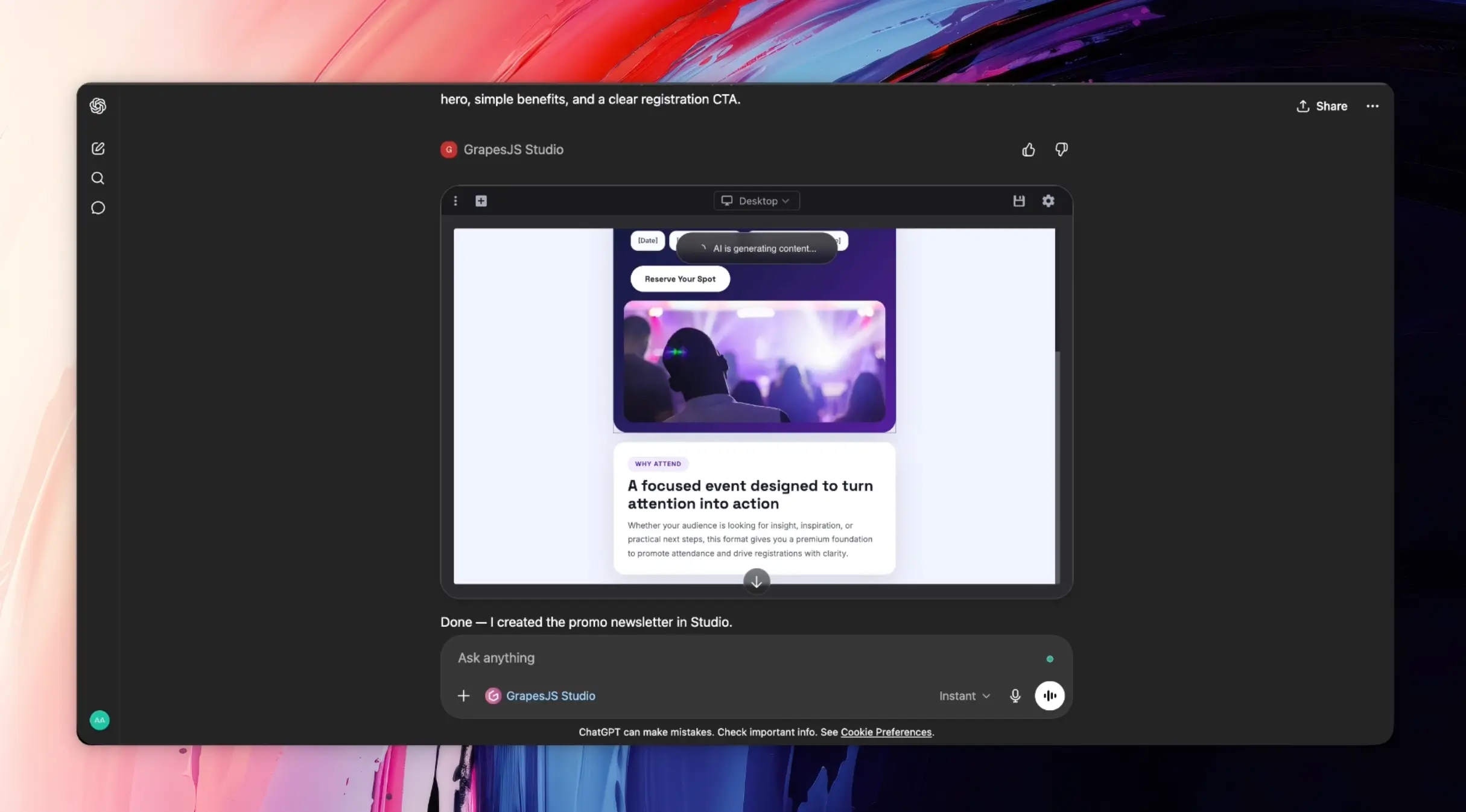
Today we're excited to announce the Grapes Studio App in ChatGPT.
If you use ChatGPT to think through campaigns, prototype ideas, or draft marketing content, you can now take the next step without leaving the conversation: generate websites and emails, open them in a real visual editor, and keep refining them right there in chat.
That shift matters because most people will not start their journey by looking for a website builder or email editor. They will start by asking ChatGPT for help. As AI-native workflows become more common, products that fit naturally into that flow will have an advantage.
What this changes
The most interesting part of this launch is not just that ChatGPT can generate a page or an email. It is that the workflow becomes continuous.
Most AI creation flows still break at the exact moment the work becomes real. You get text output, rough code, or a one-shot concept, and then you have to move into another tool to make practical changes. Layout, spacing, hierarchy, reuse, and adaptation still happen somewhere else.
The Grapes Studio App changes that by bringing an actual visual editor into the conversation. You can ask ChatGPT to create a project, inspect the result, adjust the structure visually, rewrite sections, swap blocks, refine colors and spacing, and continue into the next step of the workflow from the same thread.
How this could play out
In practice, this means a ChatGPT user could start with a simple request like "make me a landing page for this launch" or "create a promo email in the same style as this page," then immediately open the result in Studio and refine it visually. The same conversation can carry the intent, the generation, the editing, and the follow-up assets without resetting context at each step.
Over time, this pattern gets more important. For websites and emails, people need a visual environment where output can be shaped, reused, and improved instead of regenerated from scratch every time. That is the role we see Grapes Studio playing inside chat.
A better way to build in chat
The bigger idea is simple: ChatGPT becomes the front door, and Grapes Studio becomes the visual workspace behind it. Users do not need to know the tooling in advance. They just need to be able to ask for something, see it take shape, and keep improving it without breaking flow.
If you want to try it, open the Grapes Studio App in ChatGPT, install it, connect your Studio account, and ask it to create something.