
Studio has mostly been something teams use through the dashboard. That works well until project creation starts somewhere else: your app, an internal tool, a CRM, or an AI workflow. At that point, you need more than a visual editor. You need a way to plug Studio into the rest of your stack.
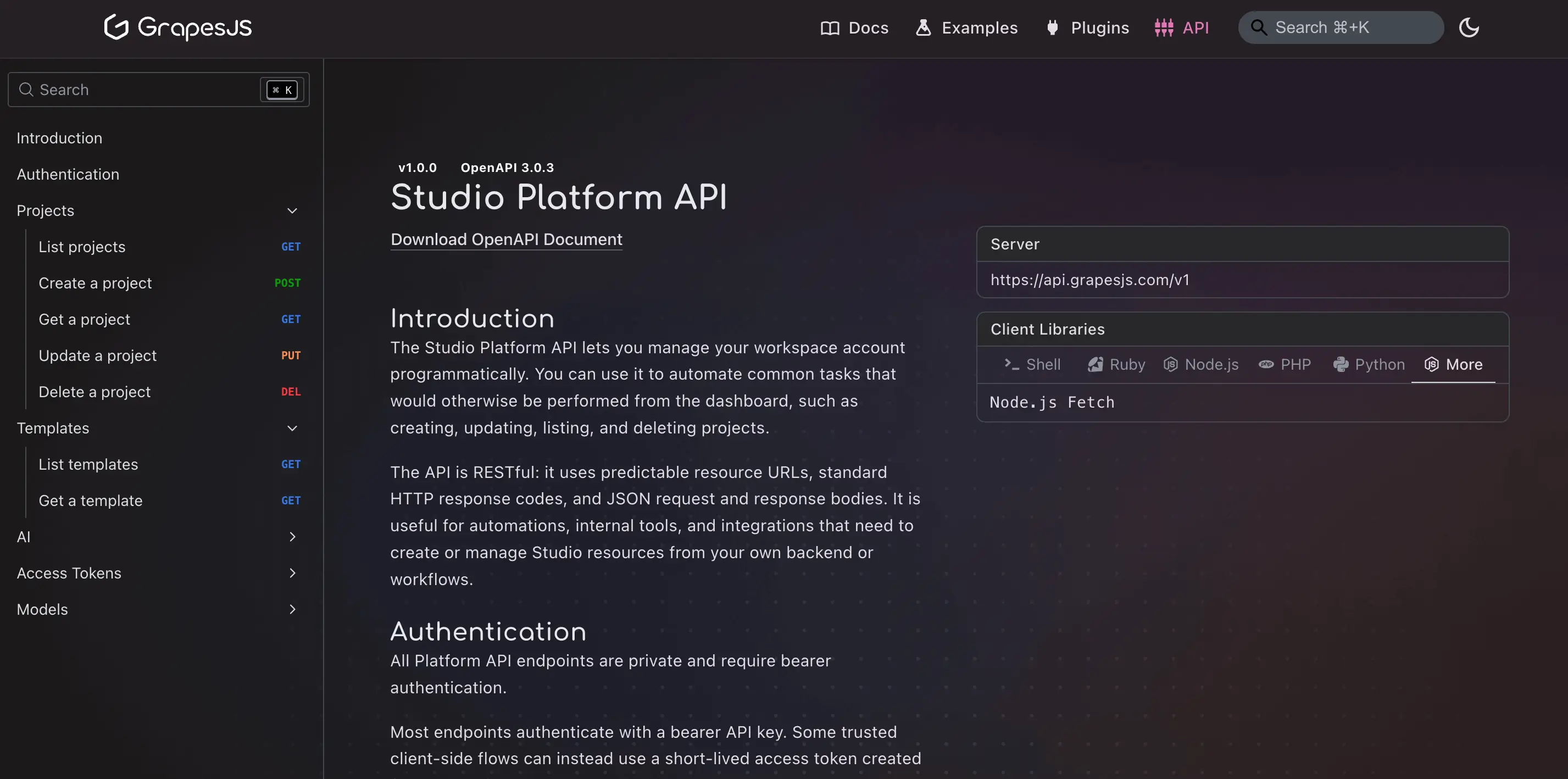
Today, we're rolling out the first phase of the Studio Platform API.
This release gives teams a programmatic way to create and manage Studio resources outside the dashboard, so Studio can sit inside real product workflows instead of beside them.
Why this matters
AI is part of the reason this matters, but it is not the only reason. Teams are producing more variations, more drafts, and more personalized assets than they used to. The editor still matters, but it is increasingly one step in a larger workflow rather than the whole workflow.
Visual editing is not going away. It just needs to connect cleanly to the systems around it: generation, review, publishing, and internal business logic. The Platform API is the first step in that direction.
What is in the first release
We started with the building blocks teams need first.
Project management
You can now create, list, fetch, update, and delete Studio projects programmatically. That means your backend or internal tooling can create a project when a customer signs up, clone a starter project for a campaign, sync metadata with another system, or update stored content without going through the dashboard.
This first phase is not about exposing every editing action yet. It is about giving developers a reliable way to manage the lifecycle of Studio projects from their own systems.
That already unlocks useful workflows:
- creating starter projects for new customers
- provisioning website or email projects from your app UI
- syncing project metadata with your CRM or internal database
- maintaining template-like internal starter projects
- building simple admin tools on top of Studio resources
For many teams, that is the minimum viable layer needed to move from "Studio as a manual tool" to "Studio as part of our product."
Template access
Templates are often the bridge between platform logic and visual output. With the Platform API, developers can now list and fetch templates programmatically, including public templates and workspace-specific ones.
For Studio SDK users, this is especially useful. A team can create projects in its workspace through the API or from the dashboard, then surface those projects as templates inside its embedded editor experience. That makes templates part of your product flow instead of something users have to discover manually. If you want to wire that up, we also published a guide on connecting Platform API templates in Studio SDK.
We also added audit logs for Platform API activity, so teams can review what happened inside their workspace.
What comes next
This release is intentionally narrow, but the direction is clear: make Studio easier to automate, embed, and connect to the rest of a content stack.
Generate projects with AI
One natural next step is deeper project generation from prompts, briefs, and structured inputs, so teams can move faster from idea to editable result.
Export projects in multiple formats
Another big area is export. We want Studio projects to move more easily into downstream workflows, with outputs such as:
- HTML for deployment or downstream processing
- PDF for printable documents, proposals, reports, or presentations
- image outputs for previews, approvals, ad creatives, or social assets
Export with custom data
Studio already supports dynamic, data-driven content. Extending that into the Platform API would let teams export a project while injecting custom data at export time.
That could support workflows like:
- generating personalized PDFs for different customers
- producing image sets with different product names, prices, or offers
- rendering localized variants from the same base project
- filling templates with CRM, ecommerce, or internal business data during export
Where this is going
The first phase is live now, and it already makes Studio easier to plug into real product workflows.
Our goal is to keep expanding the Platform API so Studio becomes easier to embed, automate, and connect to AI, data, and publishing systems without losing the visual editing layer that makes the output practical to work with.